Full SSH terminal
xterm.js with PTY, automatic resize, scrollback and multiple tabs — background tabs keep receiving output.
Graphical SSH, SFTP/FTP(S) and RDP client, inspired by MobaXterm. Terminal, remote file manager and server organization — no plugins, no scattered terminals.
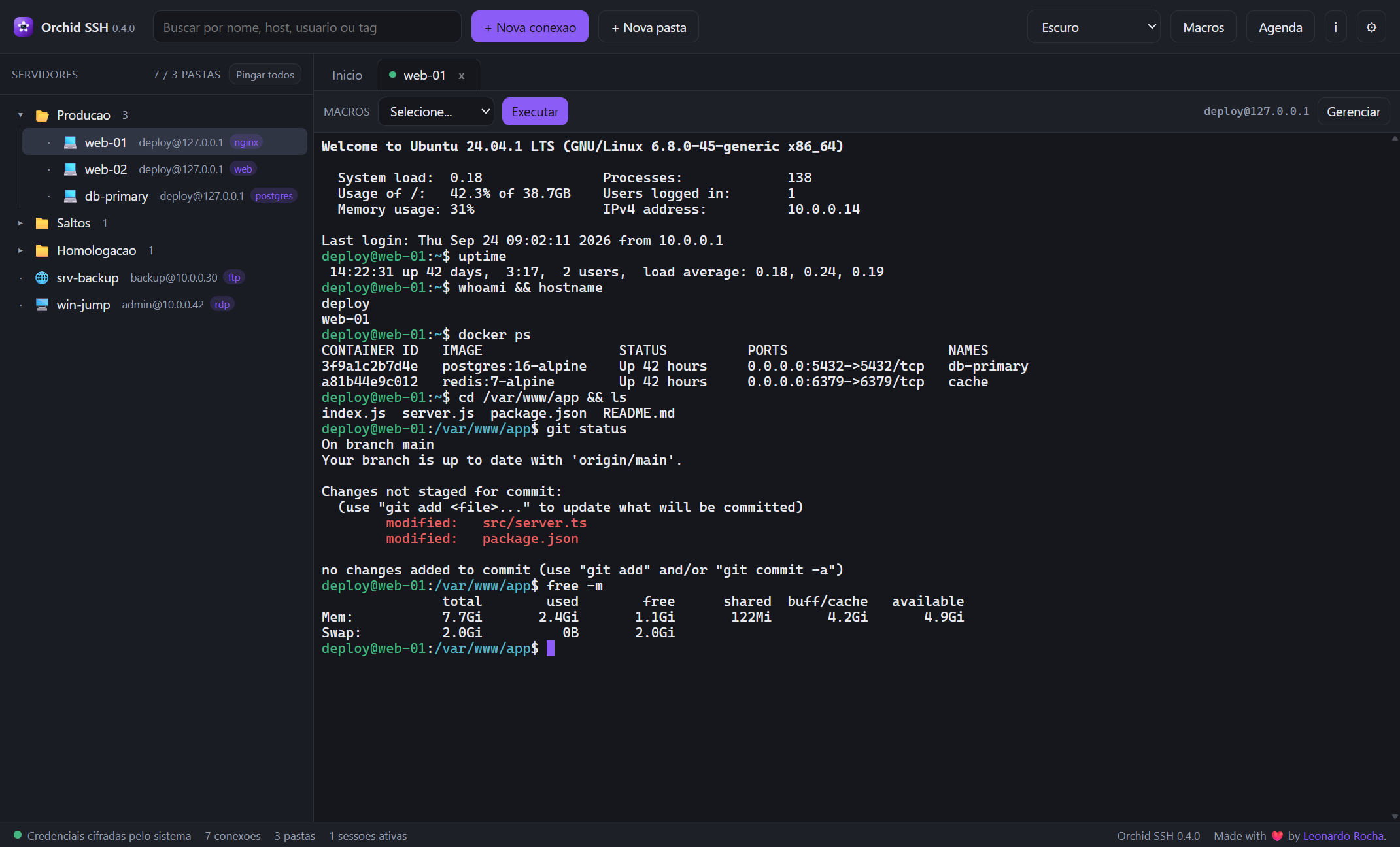
From server setup to recursive upload, everything happens inside the same app.
xterm.js with PTY, automatic resize, scrollback and multiple tabs — background tabs keep receiving output.
SFTP/FTP(S) with breadcrumb, column sorting, list/grid view, create, rename, recursive delete and drag & drop from the system.
Opens in the system client (mstsc/xfreerdp) and builds the jump chain, publishing 127.0.0.1:<port> as a bridge.
Password, private key (with passphrase) and SSH Agent — Pageant on Windows or SSH_AUTH_SOCK.
Folders/subfolders, rename, move, duplicate, delete, search by name/host/user/tag and drag & drop in the tree.
CodeMirror 6 with language highlighting and automatic upload on save (Ctrl+S).
Chain multiple jump hosts (ProxyJump) up to the final server. The app authenticates at each
hop, opens a direct-tcpip tunnel to the next one and only then connects to the destination.
you → gw1 → gw2 → db-primary
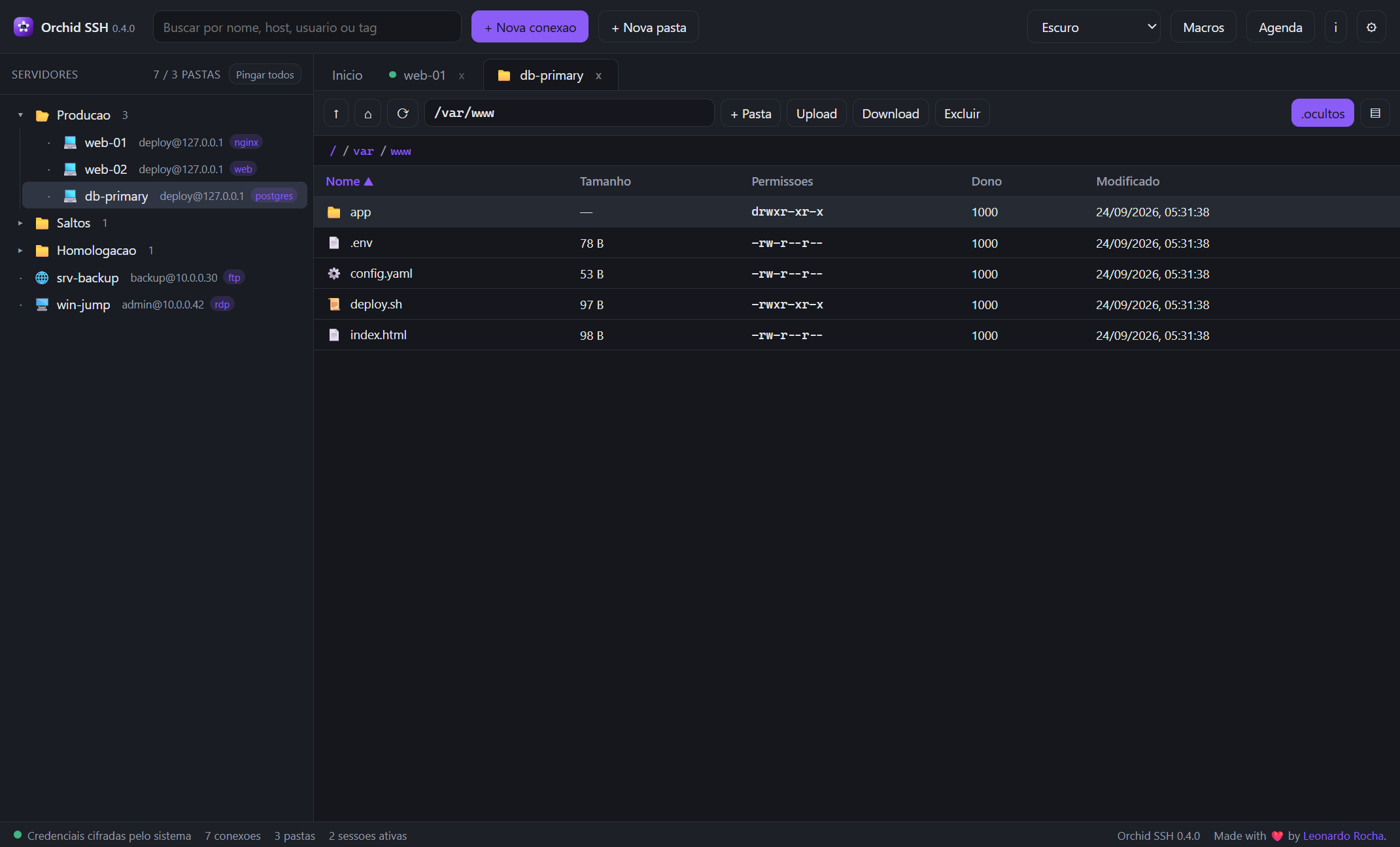
Upload and download files and folders (recursive) with a progress queue. Drag from the operating system straight to the server, edit in CodeMirror and save with automatic upload.
Ctrl+SAutomate repetitive commands without leaving Orchid SSH.
Command sequences with two modes: in the active terminal (as if typed) or silent (opens the connection, runs and captures the output per command).
{host}, {user}, {port}, {name}, {protocol}, {date}, {time}, {datetime}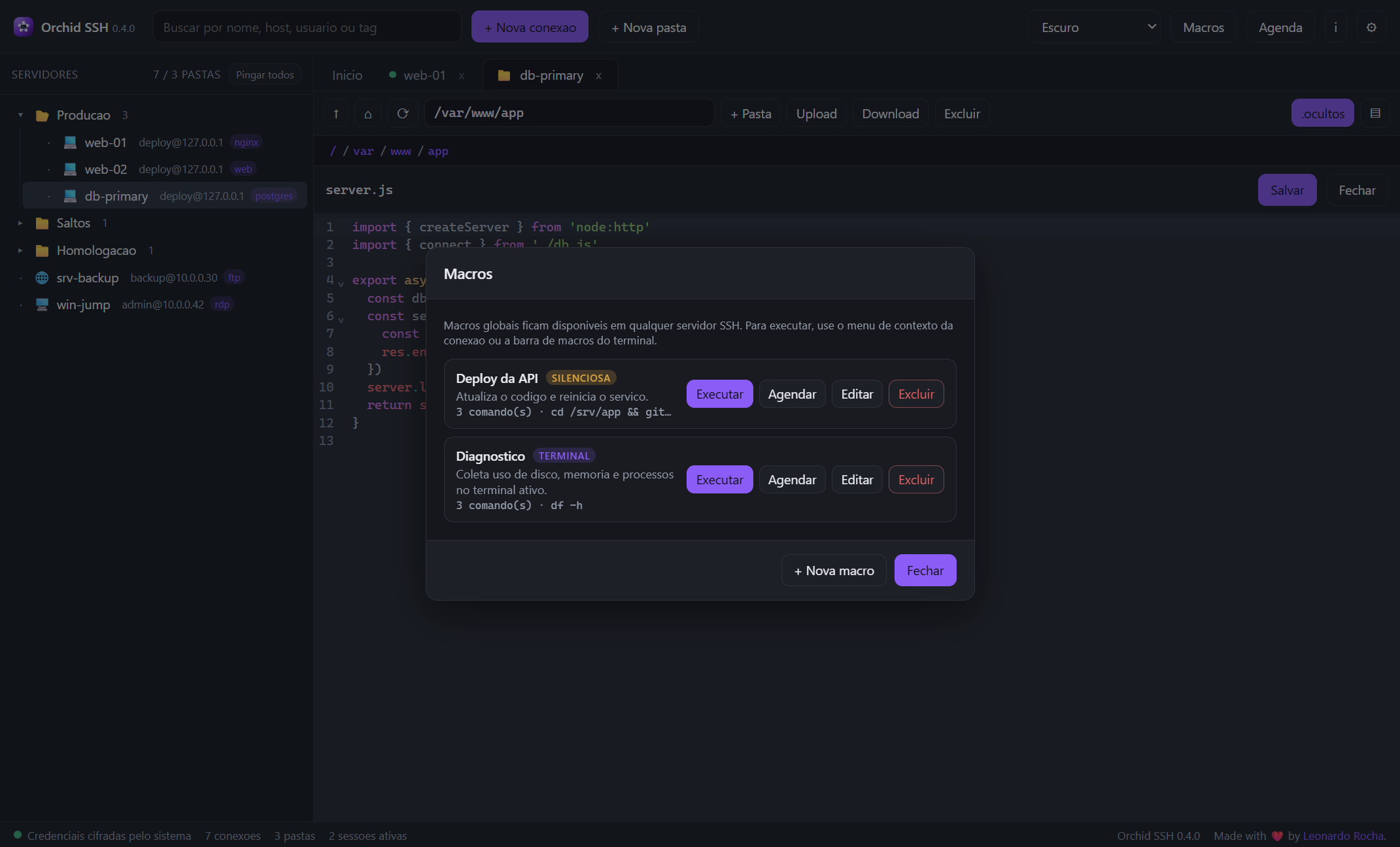
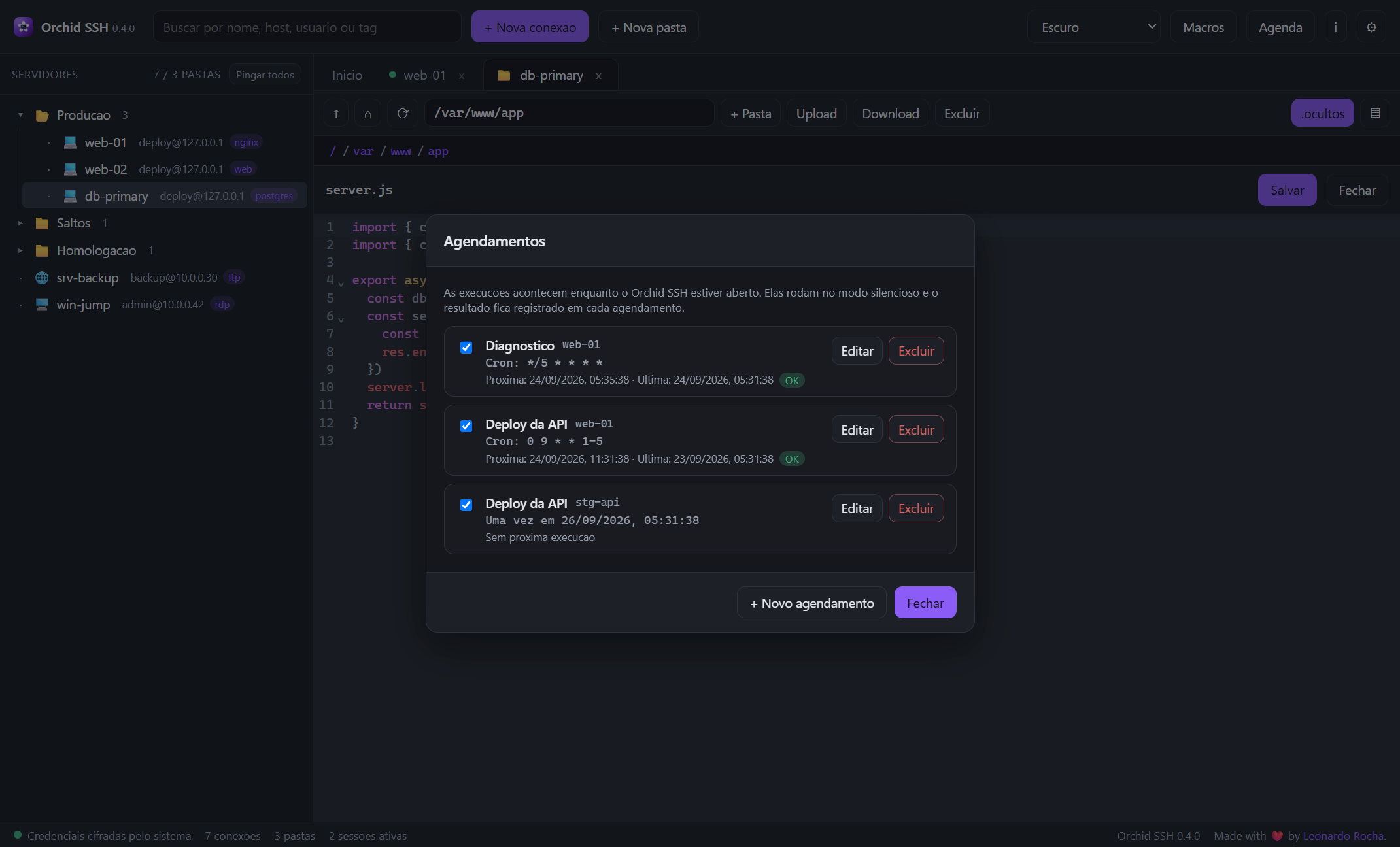
Repeat with a 5-field cron expression (minute hour day month weekday, with
*, lists, ranges and steps) or a one-time run at a date/time.
Mix and match — or let the terminal follow the app theme. Configurable terminal font.
Isolated renderer process, strict CSP and credentials encrypted in the operating system.
Prompt to accept new hosts and an explicit alert when a key changes — the classic sign of a possible MITM. No silent acceptance.
Passwords and passphrases stored via safeStorage (DPAPI/Keychain/libsecret) in secrets.vault.json. Never in workspace.json or logs.
contextIsolation: true, nodeIntegration: false and an API exposed only through contextBridge, with a restrictive CSP in production.
The updater uses an embedded, locked token, read-only — nobody can publish releases with it.
workspace.jsonFolders and connections (no passwords)settings.jsonPreferences (theme, font)secrets.vault.jsonPasswords/passphrases encrypted via safeStorageknown_hosts.jsonSSH host key fingerprints and FTPS certificatesRead the full privacy policy.
Real integration tests with in-process SSH and SFTP servers: handshake, host key TOFU, shell/echo, CRUD, recursive download and upload.
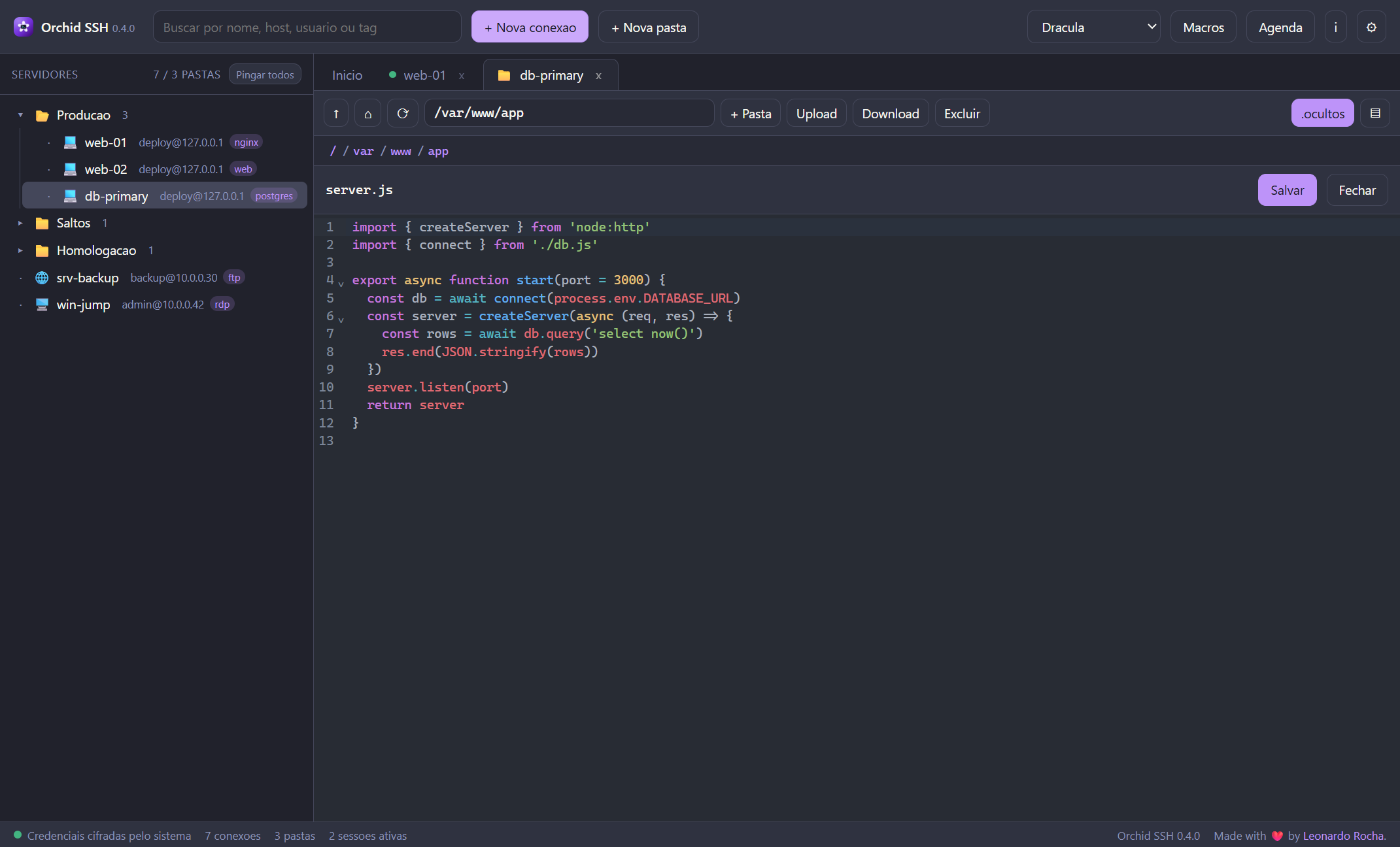
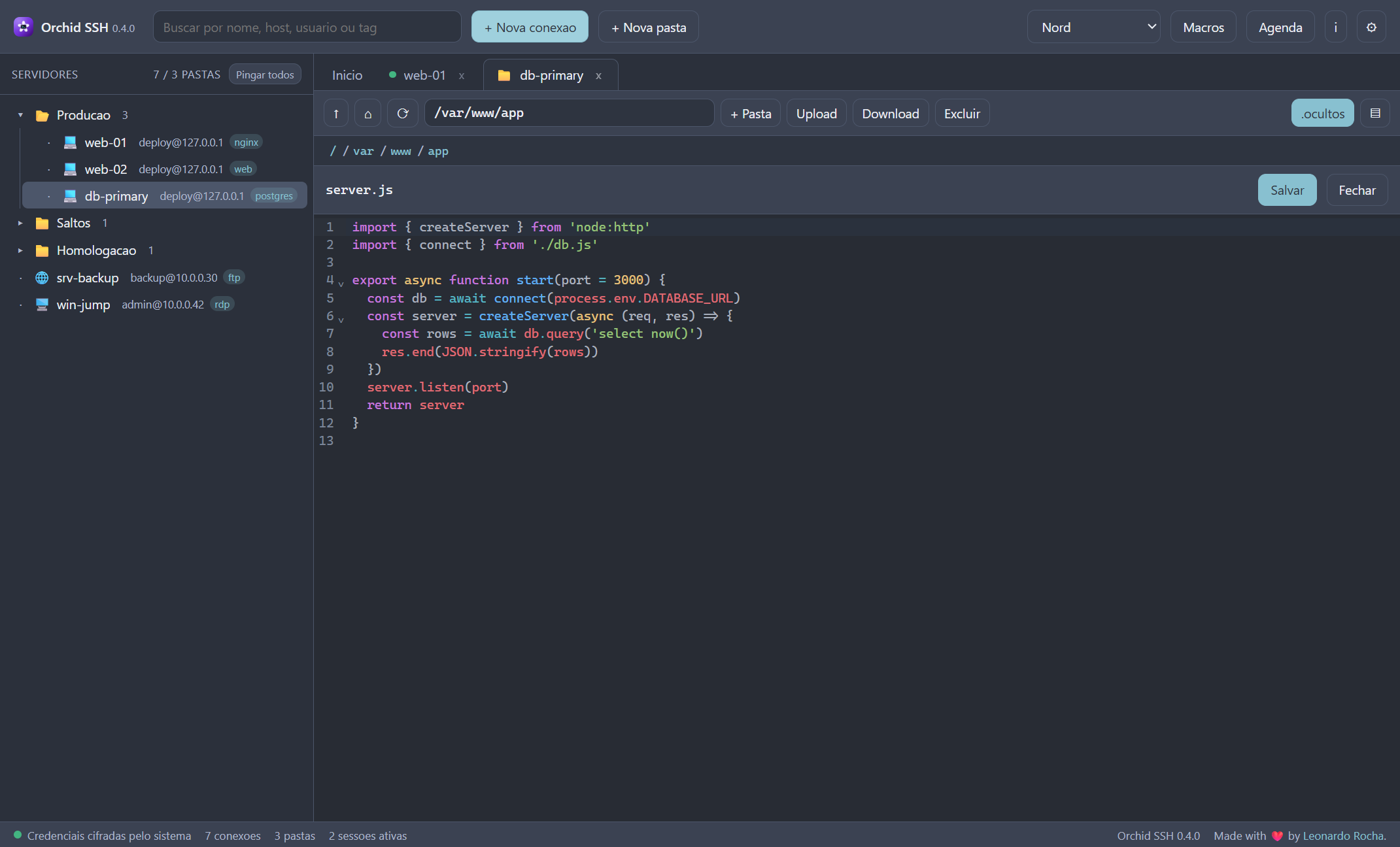
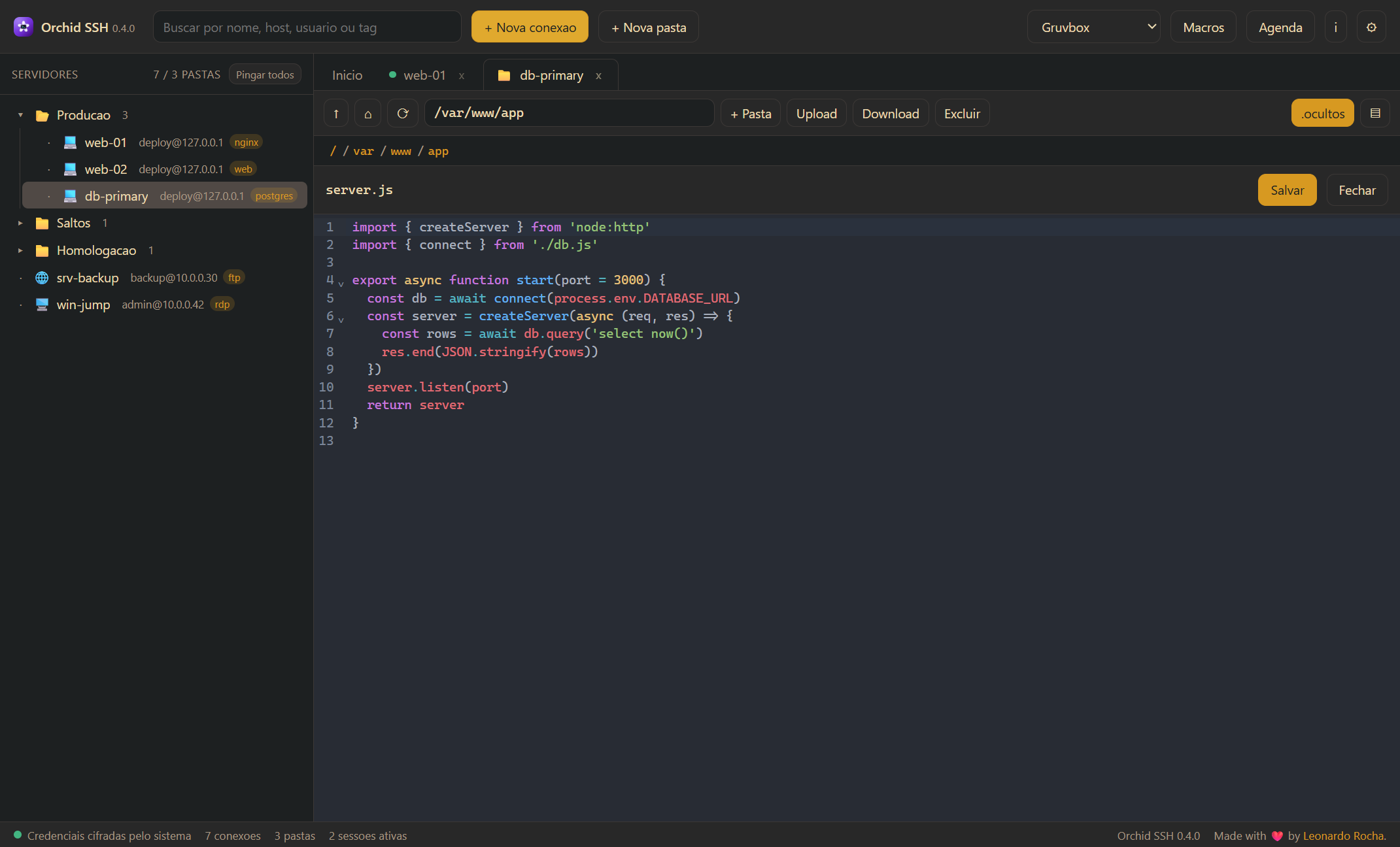
Real Orchid SSH screens: from the server panel to the remote editor, from macros to settings.
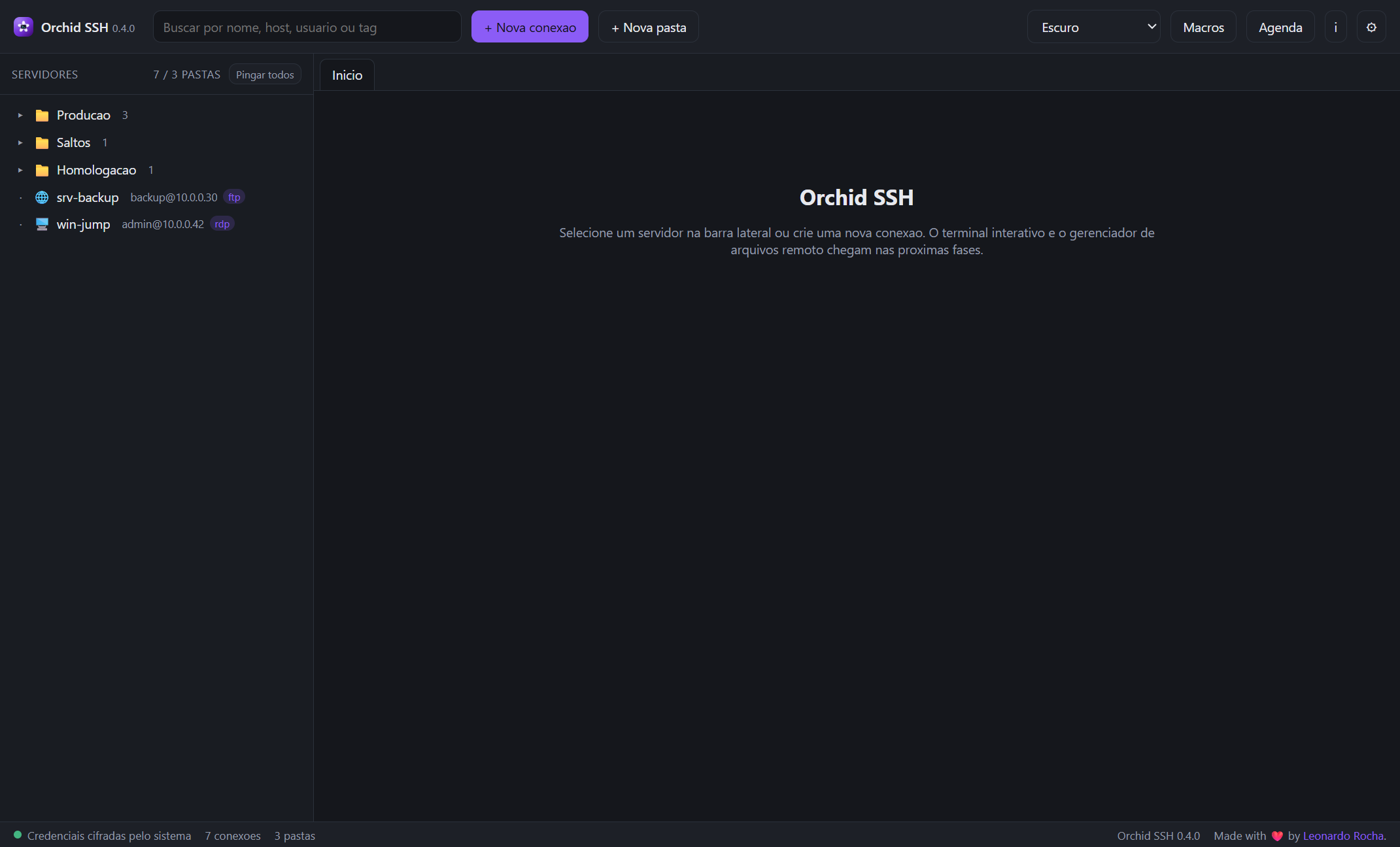
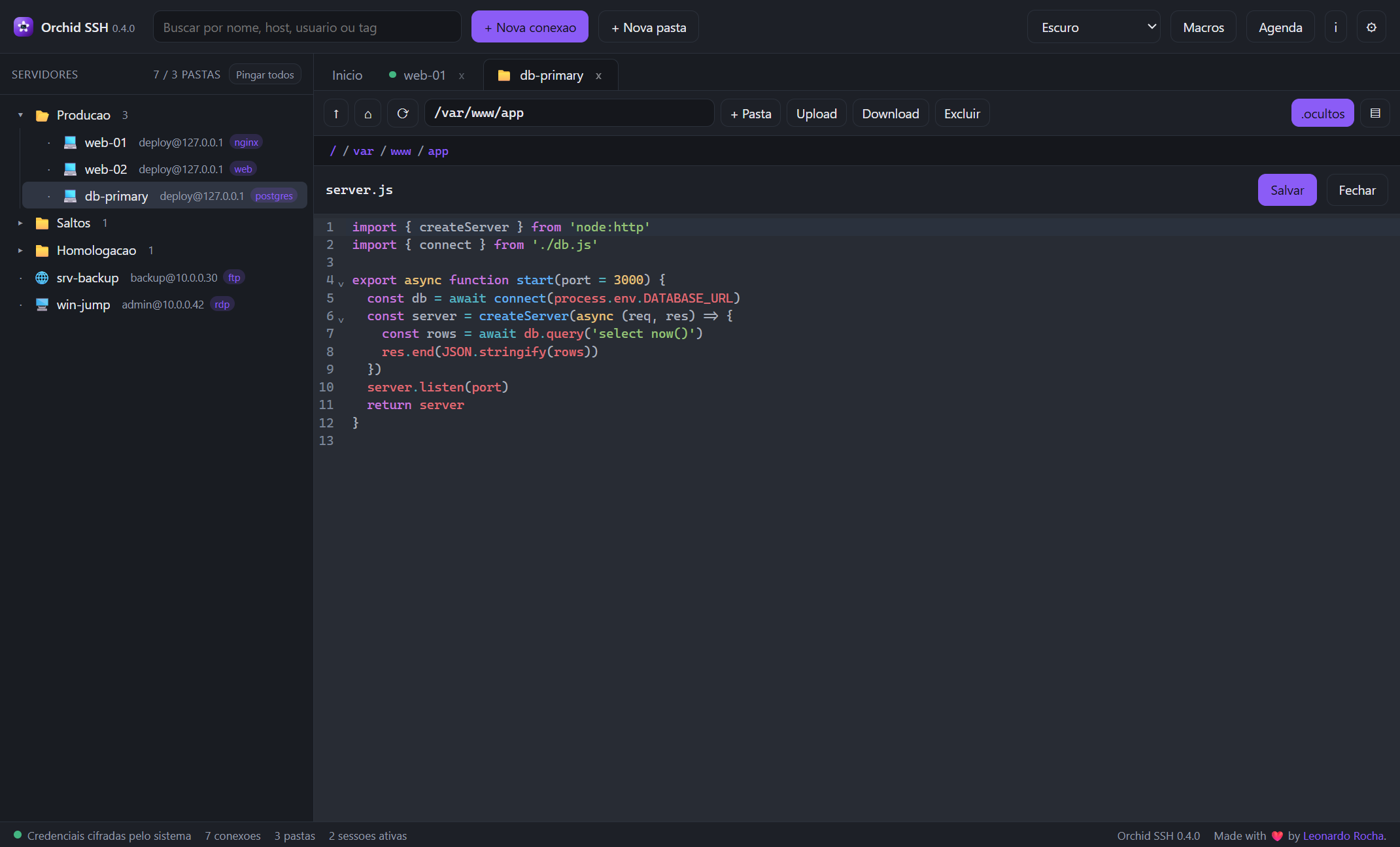
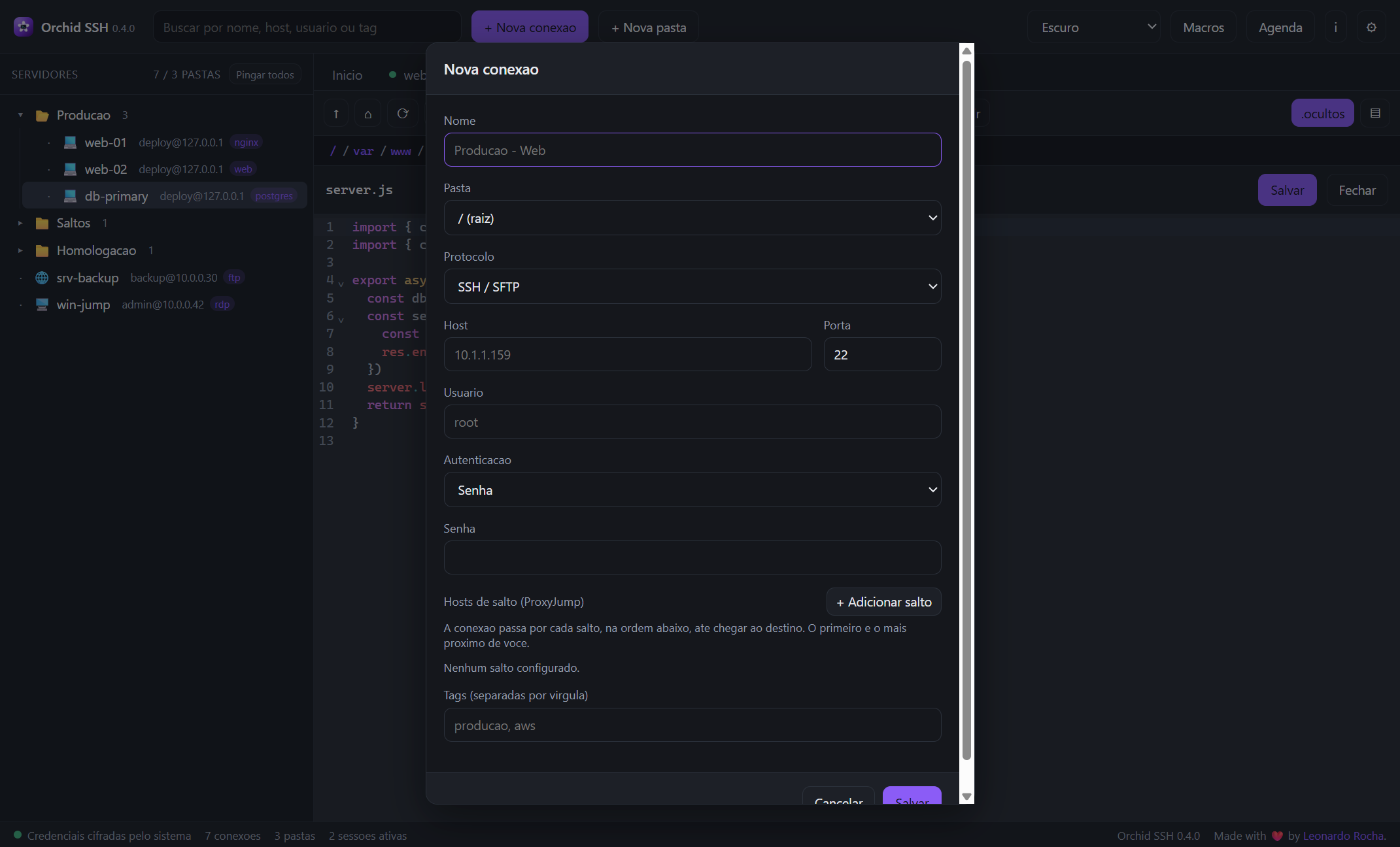
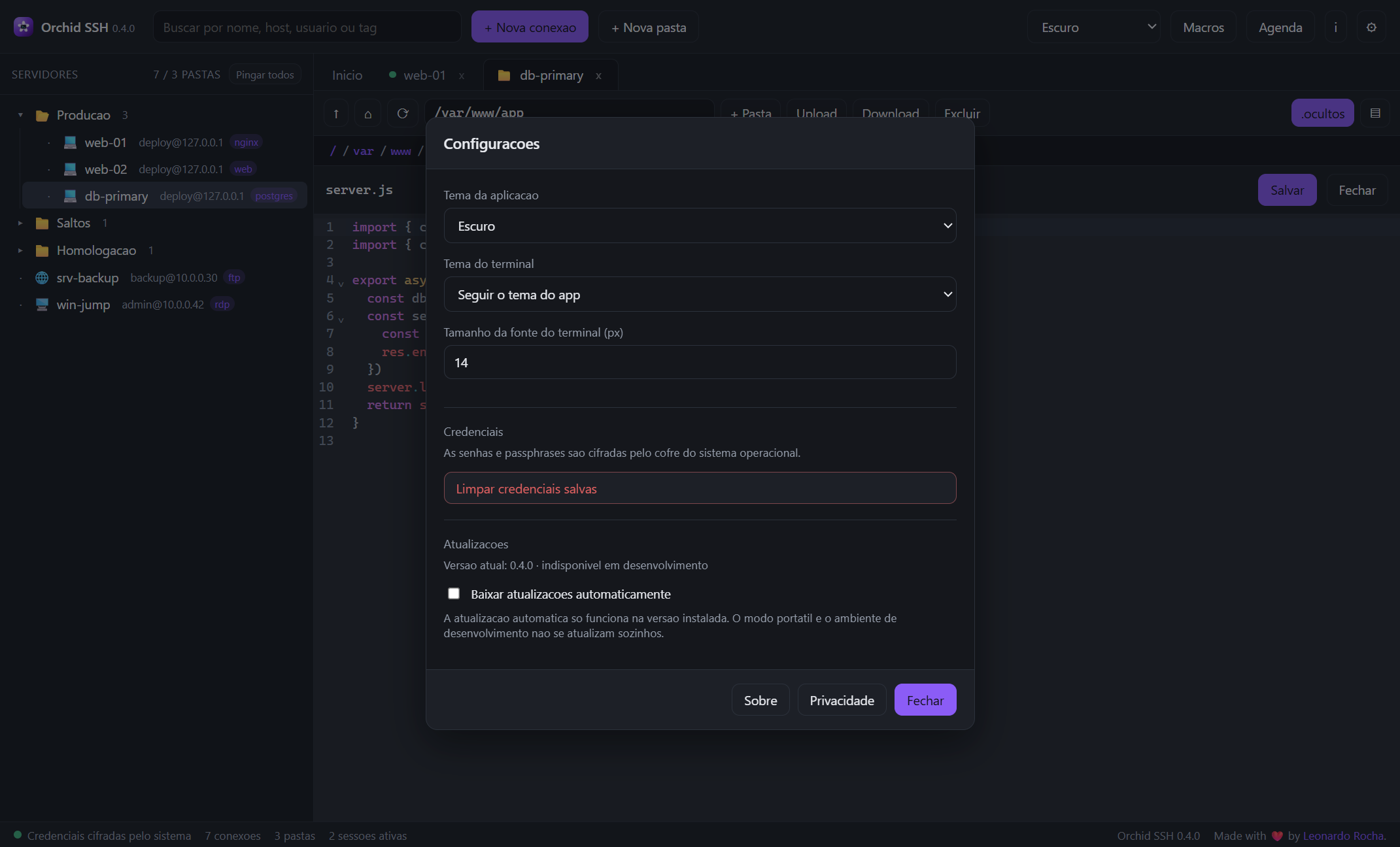
The same app in Dracula, Nord and Gruvbox.
Straight answers about installation, updates, security and known limitations.
Yes. It is an open-source project under the MIT license — no account, no subscription and no telemetry. The code is on GitHub.
Windows, macOS and Linux. There is an NSIS installer (Windows x64), a DMG for macOS (Intel and Apple silicon) and .deb / AppImage packages for Linux. Just download and install — no need for Node.js or any dependency.
The installer does not have code signing yet, so Windows may show "Unrecognized app". Click More info → Run anyway. Releases are generated by CI and published with integrity verification (sha256) on the download page.
No. Only the version installed via NSIS on Windows updates itself. On macOS a signed/notarized app is required, and the portable executable does not self-update. In those cases, download the new version manually — your data and connections are preserved.
Credentials are encrypted in the local vault via safeStorage (DPAPI on Windows, Keychain on macOS, libsecret on Linux), in the secrets.vault.json file. They are never written in plain text, in the workspace or in logs. See the security section.
Yes, for SSH, SFTP and RDP. Chain as many bastions as you want; each hop has its own host key verification. Only FTP/FTPS does not support tunneling, since the FTP client does not accept chained connections.
Macros run only on SSH connections (in the active terminal or in silent mode). Schedules always run in silent mode and only while Orchid SSH is open — there is no operating-system scheduler. The host key must already have been trusted beforehand.
No. RDP opens in a separate window of the system client (mstsc on Windows, xfreerdp on Linux/macOS) and credentials are entered there. The app builds the jump chain when needed and shows the session as a tab to close the tunnel.
The built-in editor (CodeMirror) works with files up to 5 MB; larger files are truncated and binaries open as text. Upload is automatic on save with Ctrl+S. There is no permission (chmod) editing through the interface yet.
None. The app sends no telemetry or analytics. The update check only reads a public, anonymous feed on Cloudflare R2, with no embedded token.
Open an issue on GitHub describing the system, the steps to reproduce and what was expected. Pull requests are welcome too.

Download Orchid SSH and get terminal, files and RDP in the same place.
Only the NSIS-installed version receives automatic updates. The portable executable does not self-update.
New here? See the getting started guide · comparison · changelog · frequently asked questions